
Documentation Index
Fetch the complete documentation index at: https://docs.open-metadata.org/llms.txt
Use this file to discover all available pages before exploring further.
Overview
Auto-Classification is an OpenMetadata workflow that automatically detects and tags sensitive data — such as PII — across your database columns. It removes the need for manual tagging by scanning both column names and sample data during ingestion, then applying or suggesting tags likePII.Sensitive and PII.NonSensitive.
How It Works
Auto-Classification uses two complementary detection approaches:-
Column Name Scanner: Validates column names against a set of regex rules that identify common sensitive patterns — email addresses, names, SSNs, bank account numbers, and similar fields.
For example, columns
emailandfull_nameare auto-tagged asPII.Sensitivebased on their column names.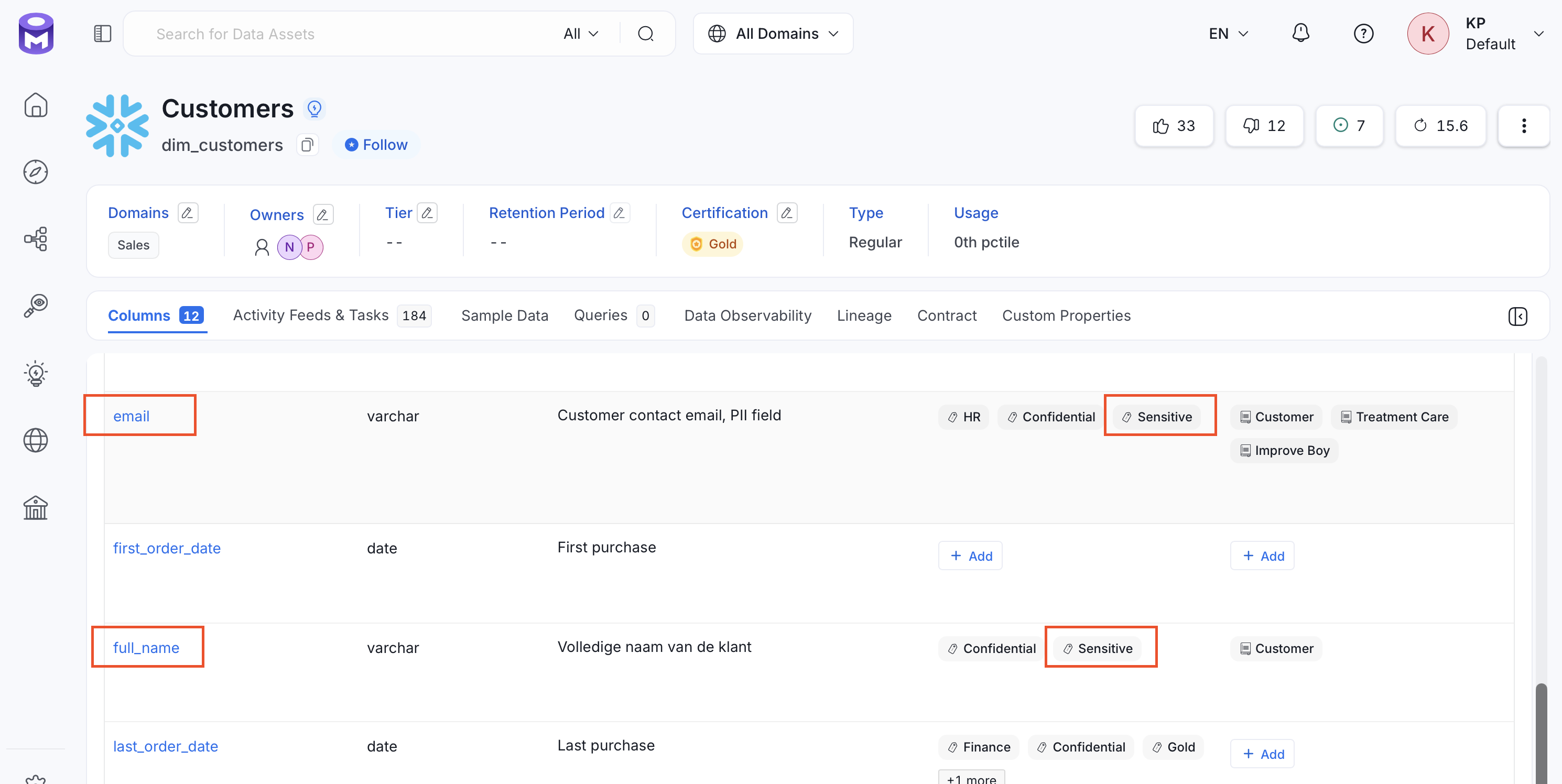
-
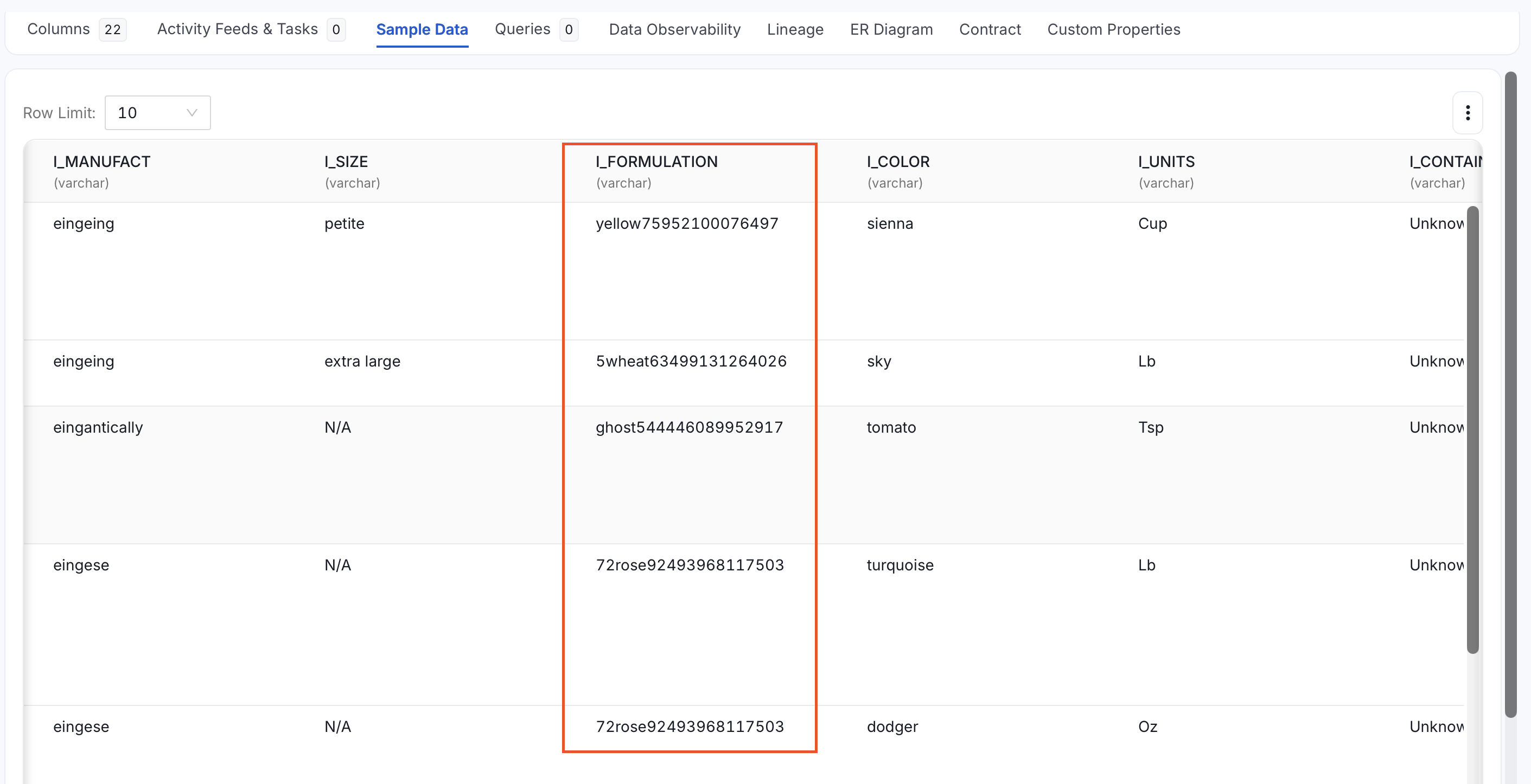
Entity Recognition: If sample data ingestion is enabled, scans the actual row values using an NLP-based entity recognition engine. This catches sensitive data even when the column name is generic or ambiguous. The
confidenceparameter (0–100, default80) controls the minimum score required to tag a column asPII.Sensitive. If a column already has aPIItag, it is skipped during execution. For example, the columnI_FORMULATIONis also tagged asPII.Sensitive, even though its name gives no indication of sensitive content.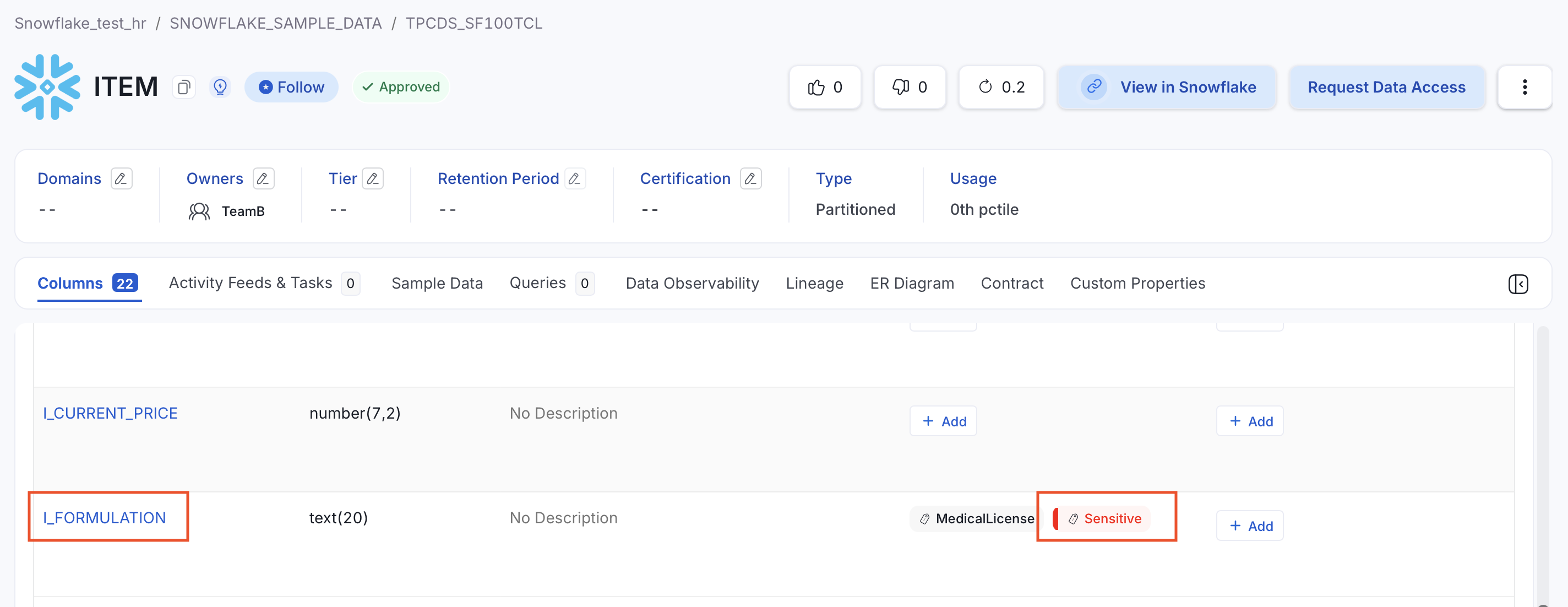
Tag Mapping
Tag mapping lets you link two tags so that applying one automatically applies the other. When two related tags are associated, any time the first tag is applied to a data asset, the second tag is applied automatically — keeping classifications consistent across taxonomies without extra manual steps. For example, applyingPersonal Data.Personal automatically applies Data Classification.Confidential, ensuring that privacy and sensitivity classifications always stay in sync. Tag mappings are configured in the backend and are not available through the OpenMetadata UI.
Set Up Auto-Classification
Workflow
Add an Auto Classification Agent to a database service directly from the OpenMetadata UI.
External Workflow
Run the Auto Classification Workflow externally using a YAML pipeline configuration.
Auto PII Tagging
Understand the tagging logic and troubleshoot common issues like SSL certificate errors.
Sample Data
Store sample data collected during auto-classification to an S3 bucket in Parquet format.