
Documentation Index
Fetch the complete documentation index at: https://docs.open-metadata.org/llms.txt
Use this file to discover all available pages before exploring further.
Overview of MCP
OpenMetadata’s MCP Server gives technical or non-technical users the ability to interact with your organization’s metadata through natural language conversations via systems such as ChatGPT or Claude.What is MCP?
The Model Context Protocol (MCP) is an emerging open standard (spearheaded by Anthropic and embraced by many industry leaders) that helps AI systems interact with external tools and data in a uniform, secure way. MCP works as a “universal translator” between AI assistants (or any LLM-driven application) and the myriad of systems where data and knowledge reside. Instead of building one-off integrations or brittle scripts for each data source, MCP provides a common interface. In technical terms, MCP lets systems expose their capabilities - the data they hold and the actions they can perform - in a machine-readable schema that AI models can understand. For example, through MCP a data platform could advertise tools (functions an AI can call, like lookup_customer_by_email), resources (datasets or knowledge bases an AI can query), or even prompt templates that guide interactions. An AI assistant connected via MCP can then securely retrieve information or trigger actions by invoking these standardized functions, with proper authorization. For organizations, MCP promises to bridge the gap between powerful AI reasoning and real-world data context. With a single, consistent protocol, an AI assistant can maintain awareness of business-specific context as it moves between different tools and datasets. Just as HTTP standardized how clients talk to servers, MCP is standardizing how AI models connect with data sources. It’s a simpler, more scalable way to give AI access to the knowledge it needs to produce relevant, accurate results.Adding an MCP Server to OpenMetadata
Even the best LLMs need context in order to operate effectively. We added an MCP Server to OpenMetadata to unlock a new level of value from its unified knowledge graph. By embedding an MCP server directly into OpenMetadata, the platform can now expose rich metadata context to AI assistants and other MCP clients in real time. This means an AI tool like ChatGPT or Claude can query OpenMetadata to ask such questions as, “What is the definition of this metric?”, “Show me the lineage of data feeding this dashboard”, or “Who is the owner of this dataset and when was it last updated?” - and get answers based on live organizational metadata. All the relationships and context captured in OpenMetadata’s graph become available to augment AI-driven analyses and automations. What makes this particularly powerful is that OpenMetadata’s implementation of MCP is enterprise-ready by design.Installing MCP Server
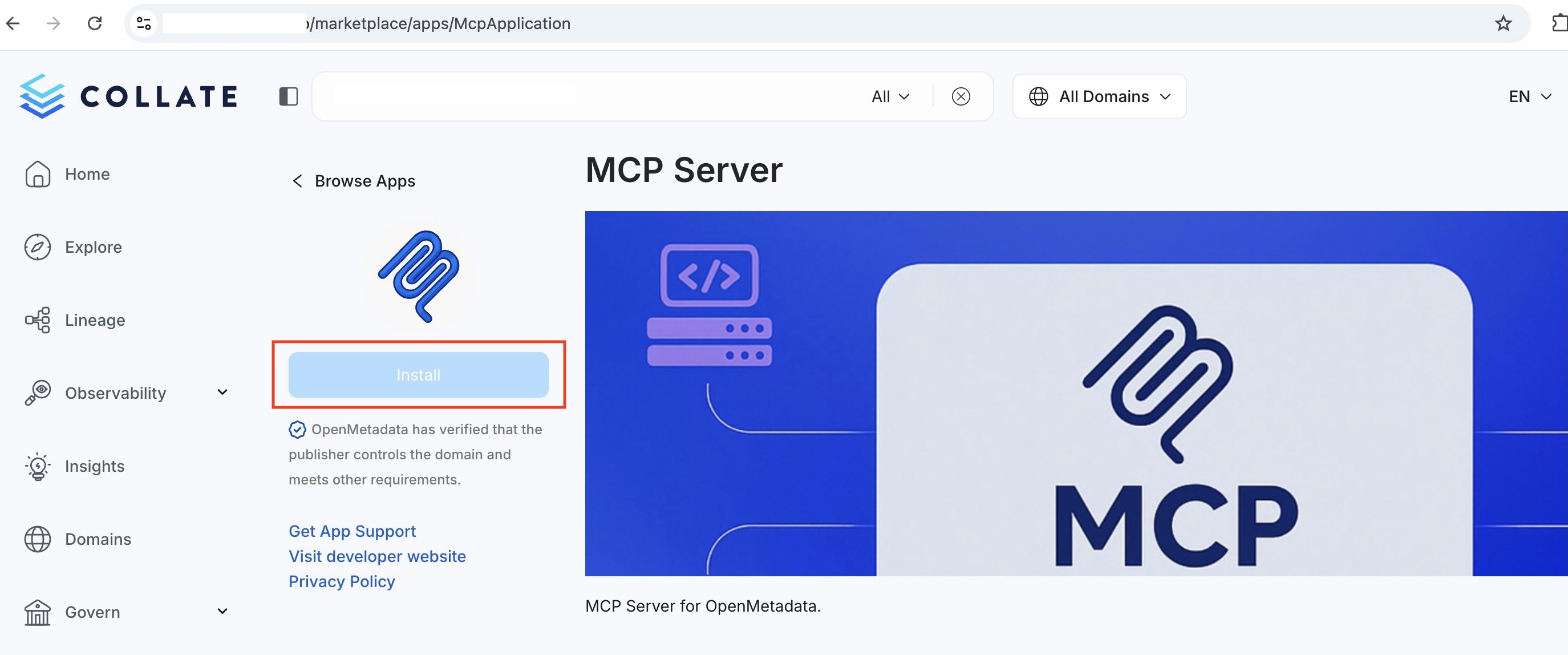
MCP is an OpenMetadata application that is installed by default, if it is not downloaded:- Go to
<YOUR-OpenMetadata-SERVER>/marketplace/apps/McpApplicationand select Install
Authentication
OpenMetadata’s MCP Server supports two authentication methods:OAuth 2.0 (Recommended)
Connect using your existing OpenMetadata login - the same way you sign in to the OpenMetadata UI. No tokens to generate or manage. OAuth works with all supported SSO providers (Google, Azure, Okta, Auth0, LDAP, SAML, and more). Learn more about OAuth 2.0 Authentication.Personal Access Token (PAT)
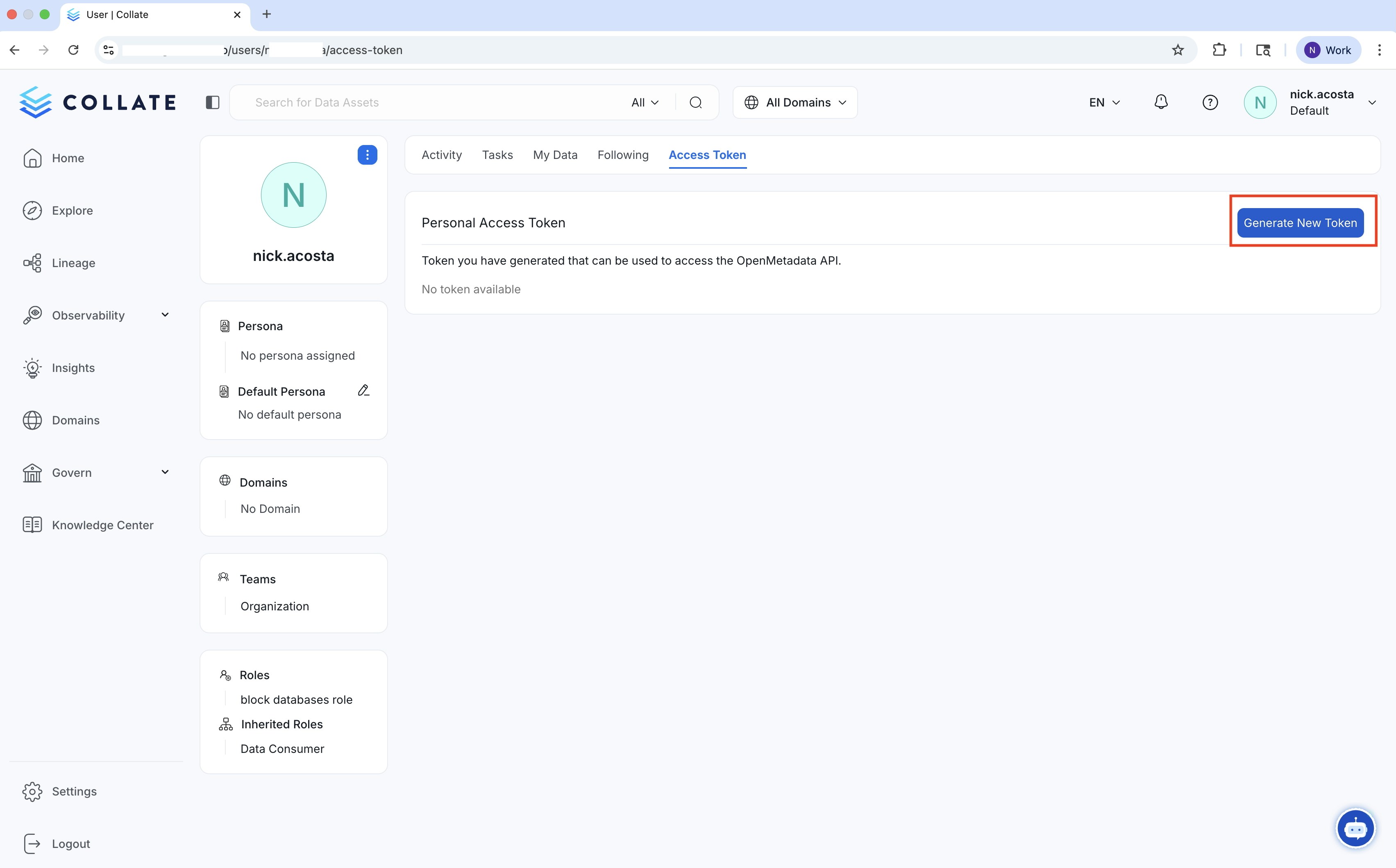
For environments where browser-based login is not available, you can use a Personal Access Token.- Go to
<YOUR-OpenMetadata-SERVER>/users/<YOUR-USERNAME>/access-tokenand select Generate New Token. This will give your AI agent the same role and access policy that is assigned to you in OpenMetadata. If you would like it to have different role-based access controls, create a new user.
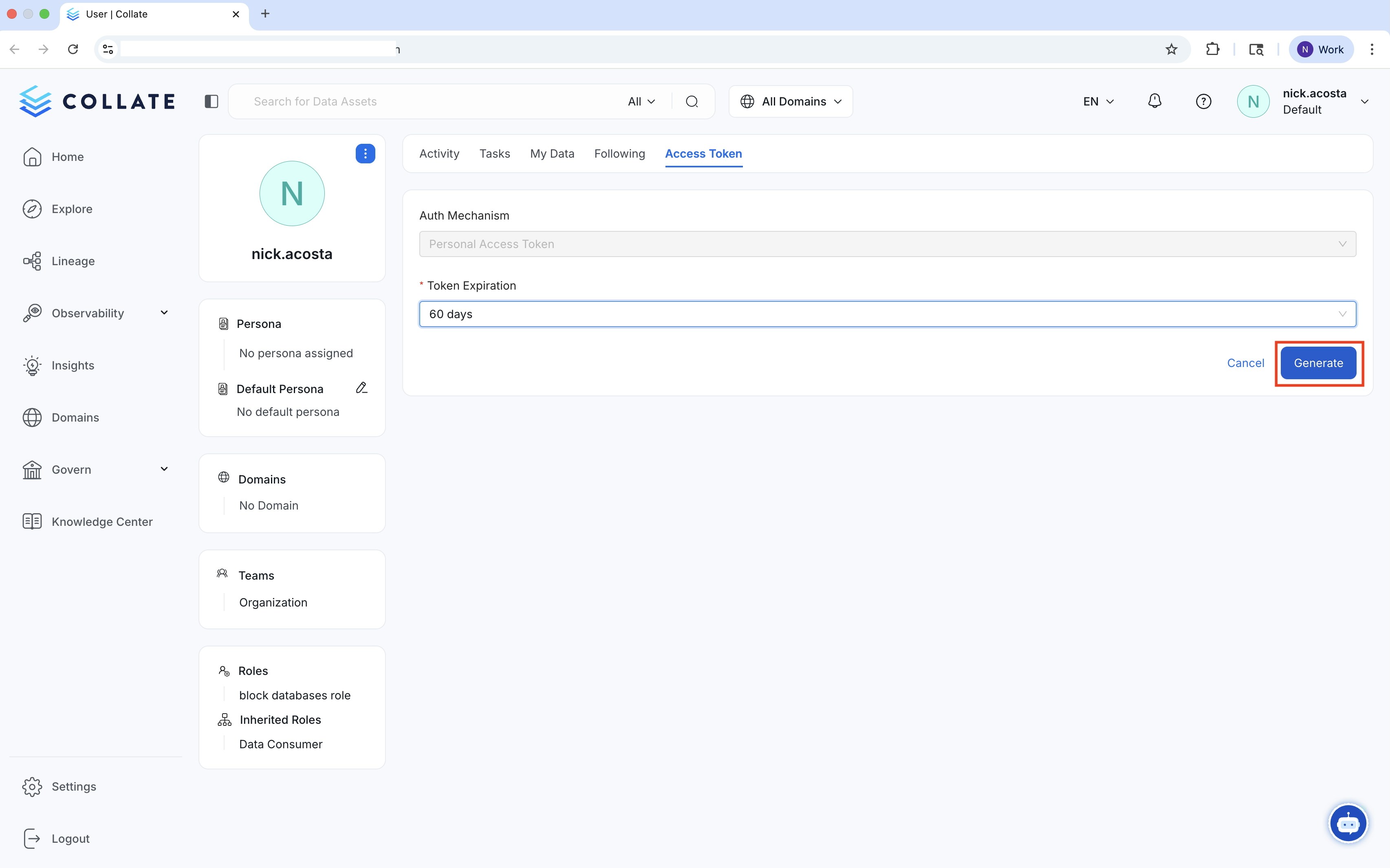
- Set your Token Expiration. Once your new token is created copy it.
Connect Your MCP Client
With MCP installed, connect your preferred AI assistant to start prompting with OpenMetadata:OAuth 2.0 Authentication
Secure, token-free authentication using your existing SSO login.
MCP Server Connection Guide
Connect to your MCP Server.
MCP Tools Reference
Detailed examples and usage patterns for all available OpenMetadata MCP tools.
Getting Started with Claude Desktop
Connect OpenMetadata to Anthropic’s popular AI assistant.
Getting Started with Cursor
Connect OpenMetadata to Cursor IDE.
Getting Started with VS Code
Connect OpenMetadata to Visual Studio Code.
Getting Started with Claude Code
Connect OpenMetadata to Claude Code CLI.
Getting Started with Goose
Connect OpenMetadata to Block’s open-source AI assistant.
Semantic Search Tool
Use natural language vector search to discover metadata through AI assistants.